CleanTheBank
Checkpoint ladder

Clean The Bank Progression Guide - Checkpoints & Upgrades Ladder

Progression in Clean The Bank! centers on mastering the core sorting loop and scaling carrying capacity. Advance from solo lobby sorting (Stage 1) to multi-slot inventory upgrades via the Y menu (Stage 2), master room identification across Copper, Gold, Gems, and Trophy vaults (Stage 3), and coordinate 20-player co-op squad runs to compete on the fastest-time leaderboard (Stage 4).

Progression map

Advance checkpoint by checkpoint

Every stage needs a visible move-on signal.

  1. Stage 1

    Stage 1 - Master interaction fundamentals and room cues

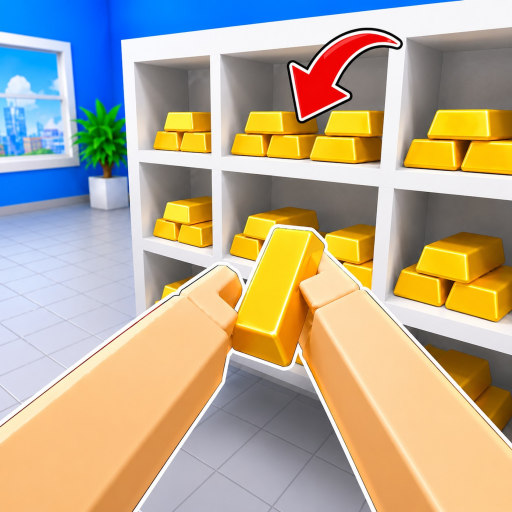
    Focus on mastering the basic pickup (E / Click / RT), inspect (R / RS), and drop (F / LT) controls. Clear the main lobby floor and observe the green glowing 3D silhouettes on storage racks to understand placement feedback.

  2. Stage 2

    Stage 2 - Expand inventory capacity with Cash upgrades

    Earn Cash through successful silhouette placements, then open the Upgrades menu (Y key on controller or HUD button). Transition from starter 0/1 capacity to observed multi-item carrying states (such as 3/3) to cut travel time.

  3. Stage 3

    Stage 3 - Memorize vault geography and item assignments

    Familiarize yourself with the layout of Global Union Bank. Learn the distinct wings for Copper Vault, Gold Vault, Gems, and Trophy room, eliminating reliance on trial-and-error placement.

  4. Stage 4

    Stage 4 - Squad coordination and leaderboard optimization

    In 20-player cooperative sessions, establish designated room assignments and squad clearing sectors. Aim for rapid completion times to rank on the in-game lobby leaderboard.

Decision basis

Know why the account should advance

The Mechanics-First Progression Reality

Unlike RPGs with character stats or combat builds, Clean The Bank! progresses through player execution and capacity upgrades. Because NightSync Studio designed the experience around cooperative physical item sorting, your primary power spikes come from knowing room layouts and carrying more objects per trip.

Observed Upgrades and Economy Loop

The in-game HUD tracks Cash earned by depositing misplaced items into their matching green shelf outlines. Players can access the Upgrades menu (mapped to Y on controller) to purchase capacity increases. While exact formula scaling and full upgrade trees are not documented in developer releases, capacity growth remains the primary confirmed upgrade path.

Transitioning from Casual Sorting to Fastest-Time Runs

The ultimate endgame milestone in Clean The Bank! is the in-game fastest-time leaderboard located in the bank lobby. Clearing the observed 1,790 items (as tracked in August 2026 keyframes) requires seamless 20-player division of labor, where runners supply vault specialists without cross-hallway collisions.
Recovery

Fix the current blocker

Stalled on Cash progression

Ensure you are depositing items into the correct green silhouette racks. Dropping items on the floor with F does not reward Cash—only verified placements into matching outlines count toward completion.

Cannot determine item destination

Press R on PC or RS on controller to inspect the object. Compare its shape against the observed Copper, Gold, Gems, and Trophy guidelines before walking across the facility.

Confusion regarding character tier lists

Clean The Bank! features no hero units, pets, or combat classes. If you are looking for build tiers, review our Tier List Reality page to redirect focus to capacity upgrades and room routing.

Tier List Status

Why Clean The Bank has no unit rankings and how progression actually functions.

Controls & Basics

Detailed keybindings for PC and controller navigation.

Squad Planner

Cooperative squad planning and role division for 20-player bank clearing.